
Free Executive ATS Resume Template (PDF & Word)
An executive ATS resume template with a refined serif name block, a career statement and room for leadership results. Add your details and download a PDF or Word file free, with no sign-up.
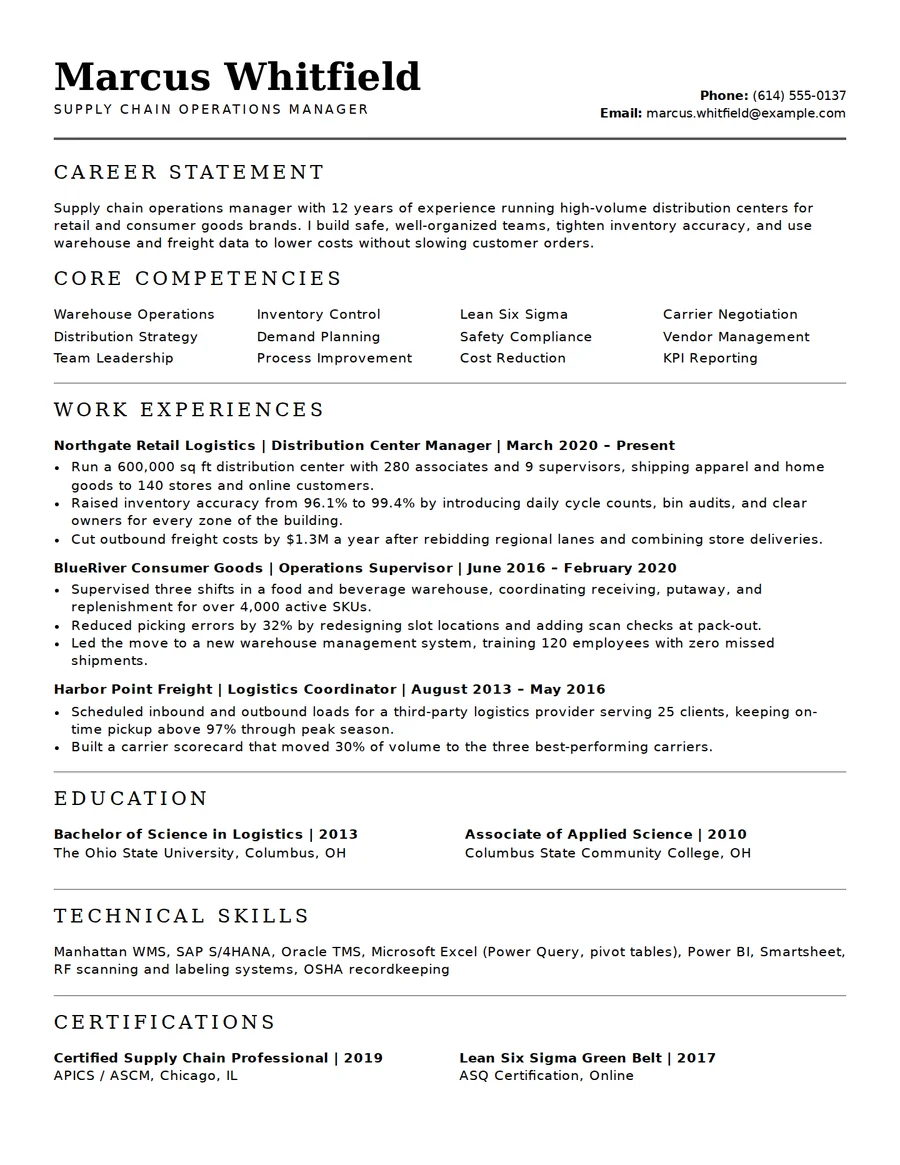
About this executive ATS resume template
Executive layout features
A restrained, formal layout with a career statement, core competencies and space for scope and results.
- Strong serif name and title block
- Career statement for scope and impact
- Core competencies in a multi-column grid
- Work experience with dates and locations aligned
- Room for leadership achievements
- Restrained, formal styling in PDF or Word
Why choose it
- Authoritative look without gimmicks
- Space for budgets, teams and outcomes
- Browser-only editing, nothing uploaded
- Two pages are easy to keep tidy
Who the executive template suits
The executive template is for managers, directors and senior operations or business leaders. The career statement is where you state scope in one breath: team size, budget, sites or revenue.
Lead each role with the result you owned, such as cost saved, headcount led or capacity gained, and keep bullets to two lines. Two pages are normal at this level, so use the page break to separate recent roles from earlier ones.
Earlier in your career? The professional ATS template suits mid-level roles.
Executive ATS resume questions
How long should an executive resume be?
Two pages is common for senior roles; keep the first page for scope and your most recent results.
What goes in the career statement?
Your function, years, scale of responsibility and one headline result.
Should I list every job?
No. Give recent roles detail and summarize earlier ones in a line.
Is it ATS-friendly?
It uses selectable text and standard headings. No template can guarantee how every system reads it.
Can I add sections such as boards?
Yes. Add your own sections, such as board roles or speaking, in the editor.